


Mirror - Fullscreen Mirror App
4.62.18K Reviews
App Specs
- Version
- 1.4.3
- Updated On
- License
- Free
- Downloads
- 1,000,000+
- Developer
- Studio 360 Apps
- Categories
- Beauty
- Platform
- Android
Screenshots

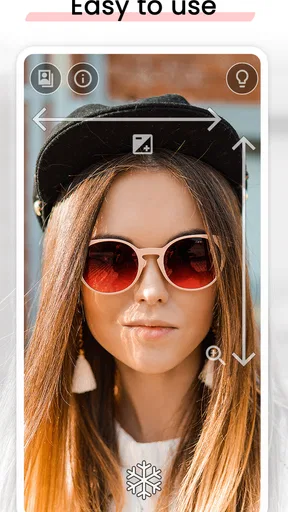

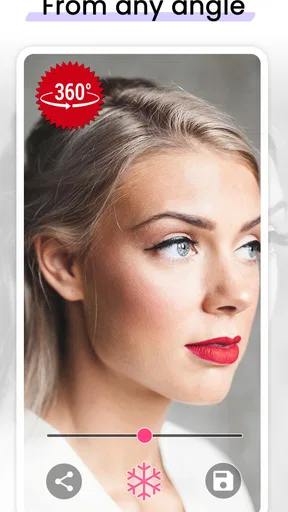
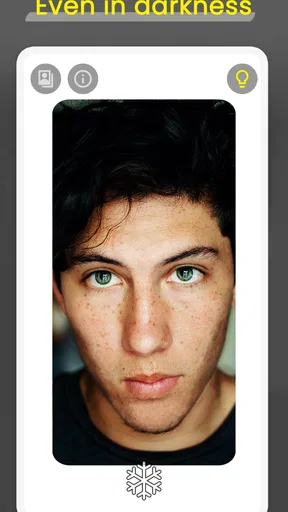
 Analysis by AppCompare
I can see this being useful in a home where a mirror isn’t always free. Someone might be getting ready at the same time as a partner or housemate, or a child may need a quick look before heading out. A phone can fill that small gap without taking over a bathroom counter. I’d treat Mirror - Fullscreen Mirror App as a personal convenience, though, not a replacement for a proper household mirror: it gives one person a close view at a time, and the phone still needs to be held and aimed.
Taking turns with one phone
In a shared-device situation, the most useful approach is also the simplest: open the mirror when someone needs it, then hand the phone over when they’re done. It suits quick checks such as smoothing a collar, checking for lipstick on teeth, or seeing whether hair has settled after coming in from outside. These are moments when a full-length mirror is unnecessary and waiting for a room to become free would be annoying.
There is a practical trade-off when several people are getting ready together. The app makes the phone handy, but it does not turn a small screen into a shared dressing-room mirror. If someone needs to see an outfit from head to toe, a wall or standing mirror is still the better tool. I’d also avoid passing a phone around while the camera view is open if people are uncomfortable being seen on screen; close the app between turns and let the next person start fresh.
Keep the phone’s boundaries clear
Because this is a camera-based mirror, a shared phone deserves the same basic care as any device used by more than one person. I would open it only when the phone is in the hands of the person using it, and I would close it before handing the device to someone else. That keeps the interaction easy to understand without assuming the app has separate profiles or household controls.
This distinction matters for families. The app is a quick visual tool, not a way to manage who can use a phone or what they can access elsewhere on it. If a child borrows a parent’s device, the adult should use the device’s own boundaries and supervision rather than expecting a mirror app to provide them. For guests or housemates, a brief handoff works well, but the owner should remain comfortable with how the phone is being used.
A sensible place for it in a household
I wouldn’t make age alone the deciding factor. The app’s content rating is Everyone, and its purpose is easy to understand, but a household should still follow its normal rules for camera use and shared devices. With younger children, an adult can show them how to open the mirror, use it for a quick check, and close it afterward. That is more useful than treating a simple utility as though it were a dedicated child account or safety tool.
For older family members, guests, or a housemate who just wants to check their appearance, the appeal is that there is little to learn. The app is free to install, though in-app purchases are listed at $1.49 per item. I would not assume a purchase is necessary for the basic mirror use described here; anyone considering spending should check what the offered item does before buying, especially on a device used by several people.
Worth Reading Before You Choose

Flipboard Shows What News Apps Must Do Beyond the Feed

Switching to Android Auto Means Rethinking Your Driving Routine

Google Calendar Makes a Crowded Week Easier to Manage

Ludo King Makes the Most of the Minutes Between Plans

Baby Panda World Brings Quick Play to Modern Phones, but Its Game Library Feels Busy

ESPN’s Live Game View Makes Following Close Games Easier
When a phone mirror is the wrong tool
A phone screen is useful for facial details and small adjustments, but it is not ideal for judging an outfit, posture, or how clothes sit from a distance. In those cases, a full-length mirror gives a more informative view. A front-camera preview can also feel less natural than a reflection in glass, and the camera’s view depends on how the phone is held. If you need consistent lighting for makeup work or a dependable view for a careful grooming task, a well-lit physical mirror is likely to be more comfortable.
Compared with opening the camera app, a dedicated mirror app has a clearer purpose and can put the reflection front and center rather than presenting a general camera interface. Compared with a physical compact, it offers a larger display, but it asks you to keep a phone in your hand and rely on its screen. Those are different conveniences, not a universal upgrade. I’d choose the app for speed and portability, and a real mirror when accuracy over a wider area matters.
Small habits that make quick checks easier
For a useful check in a hallway or at work, I’d first face a light source rather than stand with a bright window behind me. That simple change can make a face easier to see without mistaking a dark preview for a problem with appearance. If the phone is shared, wiping the screen before passing it along is also practical; fingerprints can make an otherwise clear view harder to judge.
The zoom and freeze controls described in my experience are best treated as aids for specific tasks rather than features to leave on by default. Zoom can help inspect a small detail, but it narrows the view, so I’d return to the wider view before deciding whether the overall look is balanced. A frozen image is handy when I need both hands briefly, yet it is a still reference rather than a live reflection. Checking the live view again before leaving avoids relying on an image captured at an awkward angle.
How it fits among beauty tools
In the beauty category, many apps focus on editing photos, trying virtual looks, or keeping track of products and routines. This one has a much narrower job: showing a live reflection for a quick real-world check. That focus is a strength if I do not want filters or a project to manage, but it also means it should not be chosen for tutorials, makeup planning, or before-and-after documentation.
Studio 360 Apps has kept the idea straightforward. The app has an average rating of 4.6 from around 36,000 ratings, with about 2,100 written reviews and over 1 million installs. Those figures suggest that many people find the basic use appealing, but they don’t tell me whether it will suit every phone, lighting setup, or household routine. I’d judge it by whether a live phone reflection solves a small recurring inconvenience for me.
The current version is 1.4.3, and the minimum operating system is Android 6.0. It was released on January 19, 2018, so this is an established utility rather than a new kind of beauty platform. If you’re choosing it for a particular device, check compatibility in the relevant app store before relying on it for a trip or an event; that is especially sensible when the phone is older or shared among family members.
One question people often have is whether this can replace a compact mirror. For a quick face check, I think it can be more convenient because the phone is already nearby and the screen gives a usable view. But a compact does not need to be opened as an app, and it can be easier to use when a phone battery is low or the device is being used for something else. I’d keep both options in mind rather than treating either as redundant.
Another reasonable question is whether it works well away from home. Its pocket-sized format makes it convenient for commuting, travel, or a workplace restroom, but lighting still affects what you see. I would use it to check a small detail, then step into more even light if I needed to make a careful judgment. A phone mirror is most dependable when the task is modest and the surroundings are not misleading.
For households, the strongest case is not that everyone needs another beauty app. It is that a simple mirror can be available when a shared bathroom is occupied or a physical mirror is out of reach. The weaker case is a family expecting multiple people to use one phone at once, or wanting controls and accounts within the app. In those situations, a household mirror or the device’s existing account and supervision settings are more appropriate.
Ever found yourself in a situation where you need a quick mirror check, but there’s none in sight? Well, I’ve got the perfect app for you. Let me introduce you to the Mirror - Fullscreen Mirror App. This little gem is the ultimate lifesaver for those on-the-go moments when you need to spruce up your look.
First Impressions
I stumbled across the Mirror - Fullscreen Mirror App while looking for a practical tool to help me out during my daily commutes. At first glance, it seemed like just another utility app, but I quickly realized it’s a game-changer. The app is straightforward, with a no-frills design that emphasizes functionality over aesthetics. It’s available for both Android and iOS, making it accessible to nearly everyone.
Setting Up and Interface
Downloading and setting up the app was a breeze. It took me less than a minute to have it up and running. The interface is clean, and the controls are intuitive. When you open the app, your screen instantly transforms into a mirror. It uses your front camera, and the reflection is surprisingly clear and bright. I was impressed by how it automatically adjusts the lighting to give you the best possible view.
One feature I particularly liked is the zoom option. With just a pinch gesture, you can zoom in on specific areas — perfect for those close-up checks. There’s also a freeze option that lets you capture a still image, allowing you to inspect your look without holding the phone steady.
Performance and Usability
The app performs smoothly without any noticeable lag. I’ve used it in various lighting conditions, from dimly lit rooms to bright outdoor settings, and it consistently delivered a clear reflection. The ability to adjust brightness manually is a nifty touch, especially if you’re trying to check your appearance in tricky lighting.
One of the standout features is its fullscreen mode. Unlike other mirror apps that clutter the screen with ads or unnecessary buttons, this app gives you the full display area. It’s perfect for getting an unobstructed view, which is especially useful when you’re in a hurry.
Why You’ll Love It
For someone like me who’s always on the move, having a reliable mirror in my pocket is invaluable. Whether you’re touching up your makeup, fixing your hair, or just doing a quick check before a meeting, this app has got you covered. It’s also a fantastic tool for travelers who might not always have access to a mirror.
Another thing I appreciated is the app’s privacy. It doesn’t require any suspicious permissions, which is a huge plus in my book. In an age where privacy concerns are paramount, having an app that respects your data is refreshing.
Final Thoughts
All in all, the app is a must-have tool for anyone looking to simplify their daily routine. It’s practical, easy to use, and incredibly handy. I’ve found myself using it more often than I expected, and it’s quickly become one of my go-to apps. If you haven’t already, give it a try — you might just wonder how you ever managed without it!
My household verdict
My recommendation is specific: I’d keep this installed on a personal phone for quick face-level checks, or make it available on a shared device when everyone understands the handoff. It is free to get started, simple enough for occasional use, and more focused than a general camera app. I would skip it if I needed a wide view, detailed beauty coaching, or household account management; those needs call for a physical mirror or a different kind of app.
As a small everyday tool, it earns its place by removing a minor hassle rather than trying to do everything. I’d use it before leaving home, while traveling, or when the bathroom mirror is occupied, and I’d close it once the check is done. That modest role is exactly where a fullscreen phone mirror makes sense: convenient, personal, and useful when expectations stay realistic.
Pros
- Easy-to-use interface for quick access.
- High-resolution mirror display quality.
- Supports both front and back camera use.
- No internet connection required.
- Adjustable brightness for better visibility.
Cons
- Contains ads that can interrupt use.
- Limited features in the free version.
- No option for recording or saving images.
- May drain battery quickly with prolonged use.
- Ads might cover important controls.
FAQs for Mirror - Fullscreen Mirror App
What are the main features of the Mirror - Fullscreen Mirror App?
The Mirror - Fullscreen Mirror App transforms your smartphone into a high-quality mirror. It offers features such as zoom, freeze frame, and brightness adjustments, providing a customizable and seamless experience. It's perfect for makeup application, checking your appearance, or any situation where a quick mirror is needed.
Is the Mirror app free to use, or does it require a purchase?
The Mirror - Fullscreen Mirror App is available for free, but it may include in-app purchases or ads. Some features, like ad removal or enhanced functionalities, might require a small fee. Check the app store listing for detailed pricing and in-app purchase options.
How does the Mirror app ensure privacy while using the camera?
The app uses your device's front-facing camera to function as a mirror. It ensures privacy by not storing or transmitting any video or images. Users can rest assured that their privacy is maintained during use, as the app simply reflects a real-time image without saving any data.
Does the Mirror app work on all Android and iOS devices?
The Mirror - Fullscreen Mirror App is designed to work on most Android and iOS devices. However, the performance may vary depending on the device's camera quality and operating system version. Always check the app store for compatibility with your specific device before downloading.
Can the Mirror app be used in low-light conditions?
Yes, the app includes brightness adjustment features that help improve visibility in low-light conditions. While it's not a replacement for dedicated lighting, adjusting screen brightness can enhance the mirror's usefulness in dim environments, making it easier to see your reflection.


